Today you can put together an AI-generated video without a camera, a microphone, or an editor — the entire production pipeline is covered by ready-made tools. But there's a single difference between a video that racks up views and generative "eye candy" that nobody watches to the end: the order of the steps and what you build the foundation on. Below is the full route from a blank document to a finished video, cut down into Shorts.
AI-generated video: what it's actually made of
Before opening any generators, it's important to understand what actually drives the result. The formula comes down to three components: topic (is there demand for it), packaging (the thumbnail and title that determine click-through), and retention (the script and editing that keep people watching until the end). AI tools handle the production side of each component, but they don't pick the topic and don't guarantee retention — that's the job of your script and your editorial judgment.
So making an AI-generated video isn't one magic button — it's an assembly of five stages: topic and anchor script → text with a hook → voice-over → visuals → editing and cutdowns. Let's go through each one.
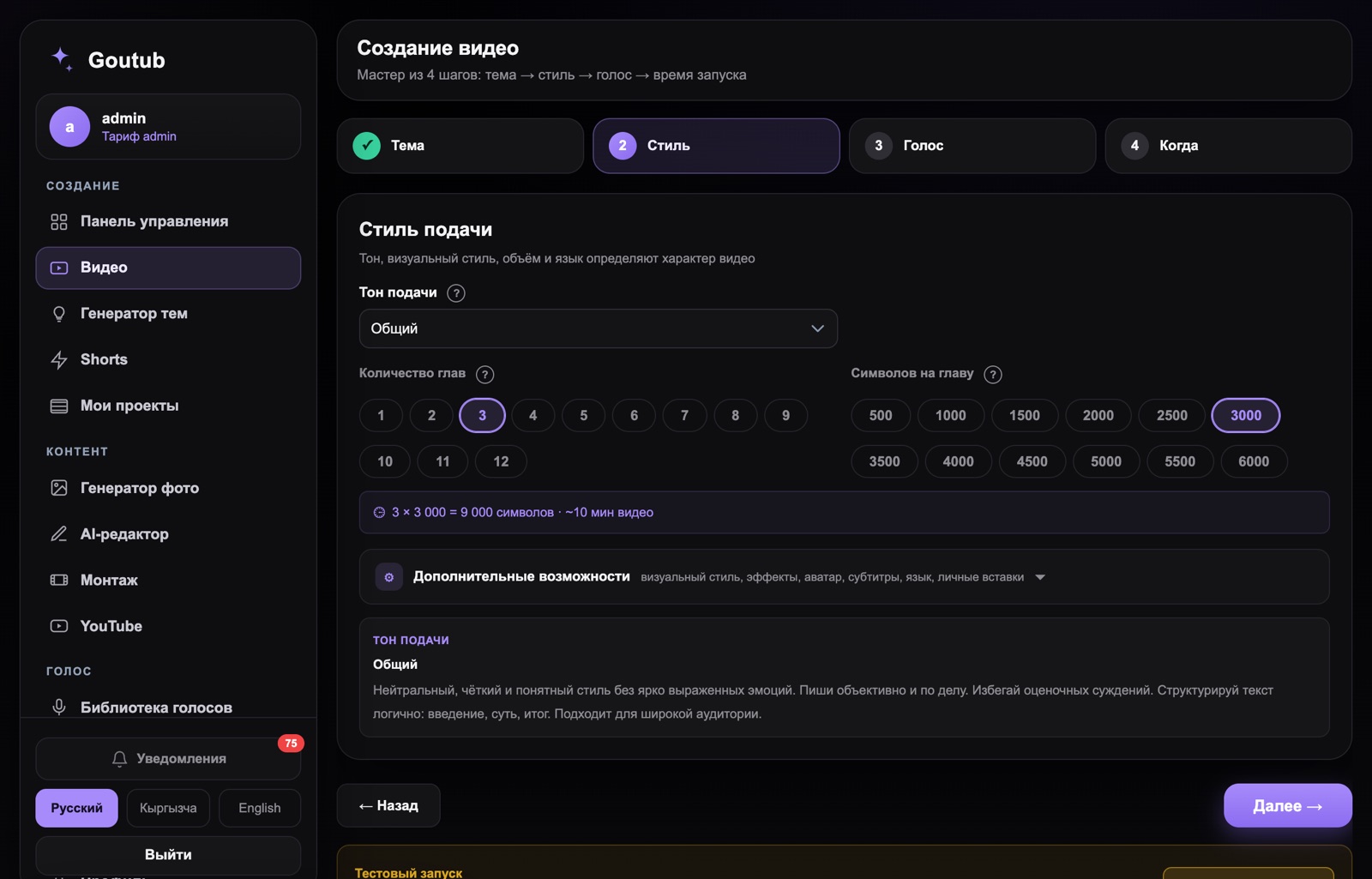
Step 1. Topic and anchor script
You don't start with generation — you start with picking a topic, otherwise you'll quickly and beautifully produce something nobody is searching for. First, find demand: analytics tools show which videos in a niche are pulling in an abnormally high number of views relative to the channel's size — those are the underrated topics.
Next, take an anchor script — a competitor's video on your topic that has already proven itself. Transcribe it into text (more on that below) and break down its structure: how the hook is built, the order of the blocks, where the reinforcements and transitions sit. You're not copying someone else's text — you're taking a working framework and filling it with your own content. An anchor like this sharply raises the odds that your new video will also land, because you're not starting from a blank page but from proven storytelling.
Step 2. AI-written script with a hook
The text is the skeleton of the video and the main driver of retention. The AI writes a draft based on your framework: a hook for the first 15 seconds, 3–5 content blocks with smooth transitions, and a closing call to action. Those first few seconds decide the video's fate — if the viewer doesn't understand why they should stay within that window, they leave, and the algorithm records weak retention.
A good technique is to give the AI a role and a format: a "talking head" for a first-person monologue, or a "structurer" that turns a long raw text into a script broken into blocks. Your job is the editing pass: check facts and figures, cut out stiff bureaucratic phrasing, and match the tone to your niche. The AI gets details wrong, and you can't publish without checking it.
Step 3. AI voice-over
The finished script gets turned into a voice-over. Speech synthesis services like ElevenLabs deliver natural-sounding narration in dozens of languages, including Russian, and let you clone your own voice from a short, clean sample — so every video sounds like "you" without recording a single take. Monotone narration tanks retention, so tune the intonation and pace instead of leaving the defaults: add pauses, adjust expressiveness, and re-listen to any tricky phrases.
Step 4. Visuals: avatar or generation
The visuals are built around the voice-over. The choice depends on the format:
- AI avatar (HeyGen) — for when you need a talking "host" on screen without filming. Works well for expert and educational content.
- Generative video (Runway, Pika) — brings static images to life and creates short clips via a text → image → video pipeline. Good for atmospheric and narrative inserts.
- AI images (Midjourney, Leonardo) — the base for your visuals: illustrations for each block that can then be animated.
- Stock footage and infographics — ground the visuals and break up the generated content.
The rule is the same as in manual editing: the shot changes often enough and matches the narration precisely. A minute of a static image will tank retention faster than any other mistake.
Step 5. Editing, subtitles, and cutting down into Shorts
The final assembly syncs the voice-over to the visuals, trims pauses, adds motion at the transitions, and adds subtitles. Subtitles aren't optional: a significant share of the audience watches with the sound off, and without text you lose those viewers. Once the long-form video is ready, vertical clips get cut from it — tools like OpusClip find the most compelling moments and frame them for Shorts. That's both repurposing (one video turns into a dozen pieces of content) and a funnel that brings cold audiences into your long-form video and subscriber base.
What's still left to the human
The pipeline removes the busywork, but it doesn't replace strategy. The decisions the AI won't make are still yours: choosing the niche and geography based on demand and payout, picking the anchor script, fact-checking, refining the thumbnail and title, reading the analytics. It's the combination of "machine production plus human strategy" that drives growth — generation on its own, without these decisions, just turns into a stream of faceless videos that the platform pushes down in the feed. One more thing to keep in mind: realistic AI content gets flagged with a special label at upload.
Common mistakes when producing AI-generated video
The pipeline amplifies speed, but it also amplifies mistakes, so keep these common failure points in mind:
- Generating without demand. You've beautifully produced something nobody is searching for. Topic and anchor first, production second.
- Skipping the script edit. The AI makes up facts and figures — check them before recording the voice-over.
- Monotone voice-over. Default voice settings tank retention more than anything else.
- A slideshow instead of real visuals. A static image for a full minute kills watch-through rate.
- One long video with no Shorts. You're leaving cheap reach and repurposing on the table.
- Ignoring analytics and labeling. Without reviewing CTR and retention, mistakes get repeated at scale, and realistic AI content needs to be flagged at upload.
Each fix takes minutes, but those are exactly what separate a video that works from generative noise.
How Goutub speeds this up
Goutub is the entire pipeline described above, brought together in one place. Instead of juggling a dozen separate services, you enter a topic, and the system writes a script with a hook, voices it with an AI voice, sources images and visuals, edits the video, prepares subtitles and metadata, and cuts it down into Shorts. What normally takes days by hand and requires a team of a scriptwriter, a narrator, and an editor happens in minutes — and you can scale output across several channels in different languages.
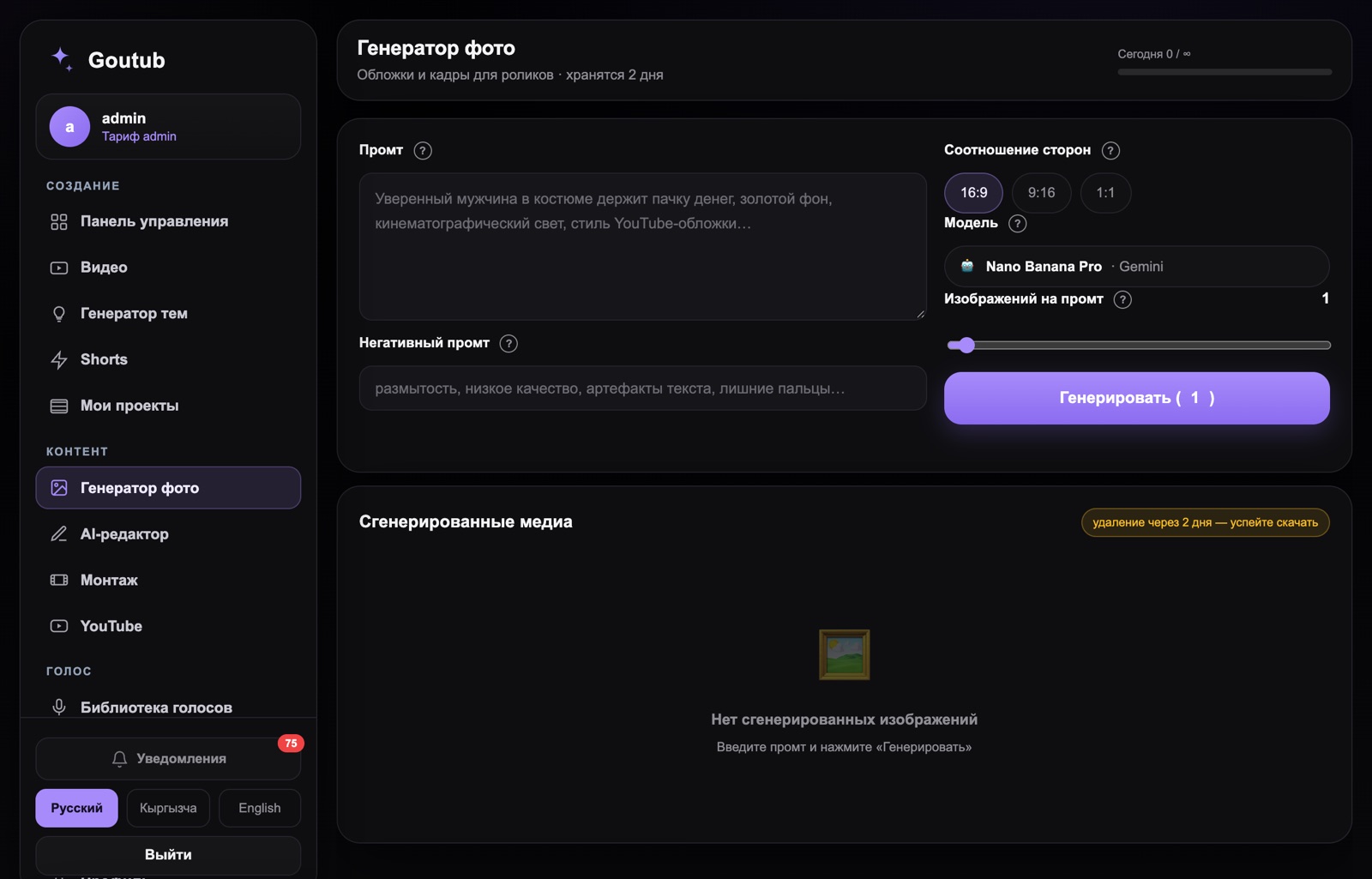
Put together your first video in Goutub
Script, voice-over, images, editing, and a full YouTube package — one AI pipeline. Enter a topic — get a finished MP4.
Try GoutubPublished August 5, 2026 · Author: Асанов Усен · ← All blog posts