In 2026, producing a complete YouTube video with AI takes twenty minutes instead of two days. But that only works if you know which tools to use, which prompts to write, and which mistakes to avoid. This guide is a distillation of 18 months of AI-video experience from the Goutub team.
We won't debate "which AI model is better" — that's a pointless discussion. Instead, we'll walk you through a step-by-step workflow from idea to published video, with concrete prompts, price comparisons, and an honest breakdown of what breaks in practice.
1. What AI video is and why it's changing YouTube
AI video is a video whose production replaces or dramatically speeds up the classic stages of production: writing the script, voice-over, sourcing visuals, automatic editing, and even SEO optimization at publication.
Three numbers that explain why this matters:
- Cost: one AI video costs $0.50–$2.00 versus $300–500 for a freelancer
- Time: 20–40 minutes instead of 2–3 days
- Quality: with the right workflow, the final result is indistinguishable from a small studio's work
In 2026, about 23% of all new YouTube channels in the Russian-speaking segment use some kind of AI tool at some stage of production. This isn't an experiment anymore — it's mainstream.
AI video doesn't replace creativity. Neural networks are good at execution, but bad at deciding what to shoot. The best AI channels are the ones where the creator kept control of the ideas and let AI handle the mechanics of production.
2. Choosing your stack: all-in-one vs. a set of services
There are two fundamental approaches to assembling an AI video:
Approach A: A set of specialized services
This is the classic 2024-era stack. You use ChatGPT or Claude for the script, ElevenLabs for voice-over, Midjourney or DALL-E for visuals, and CapCut or DaVinci Resolve for editing. Each tool is the best in its category.
Pros: maximum control, every stage on a top-tier tool. Cons: switching between 5+ tabs, manually moving files, learning every interface, and subscription costs adding up to $80–150/month.
Approach B: A unified pipeline (all-in-one)
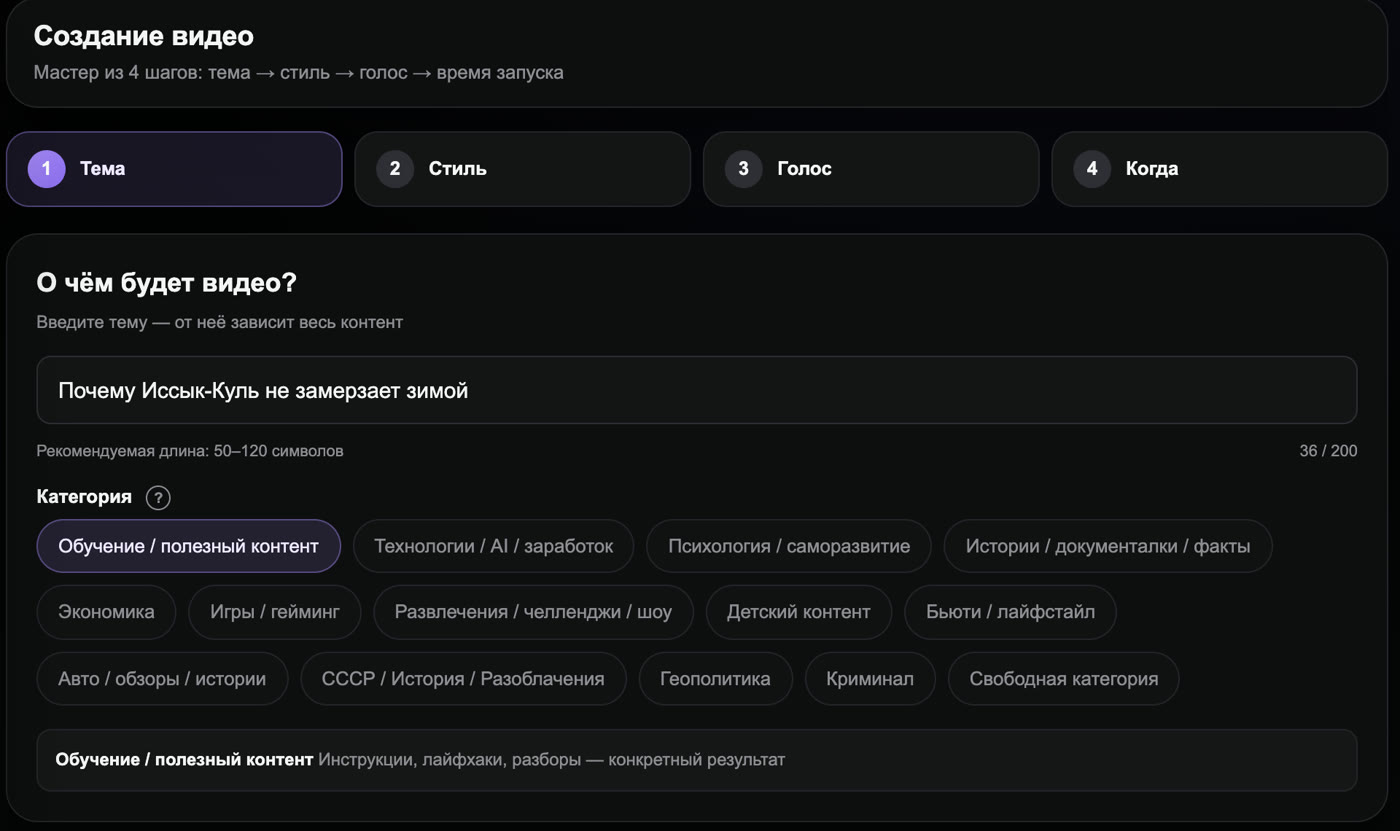
Platforms like Goutub, InVideo AI, Pictory, and Lumen5 combine every stage into one interface. You enter a topic, and the platform calls the right models at each step.
Pros: one workflow, one subscription, a finished result with no file transfers. Cons: less control over individual steps (though top platforms already offer manual fine-tuning), and dependence on a single vendor.
| Factor | Set of services | All-in-one |
|---|---|---|
| Time per video | 2–3 hours | 20–40 minutes |
| Price/month | $80–150 | $40–110 |
| Learning curve | Steep (5+ tools) | Gentle (1 UI) |
| Quality control | Maximum | High (with a good vendor) |
| Scaling (10+ videos/week) | Hard | Easy (batch mode) |
Our advice: if you're a solo creator making 1–2 videos a week, Approach A gives you more control. If you're publishing 5+ videos a week or want to move fast, go with Approach B. Agencies almost always switch to all-in-one, because switching costs multiply with every client.
3. Step 1: choosing a topic and doing research
This is the most underrated stage. No amount of AI tools will save a video if the topic doesn't interest your audience.
Where to find ideas:
- Google Trends — watch for rising queries in your niche
- YouTube Suggest — type a keyword and see what autocomplete shows
- vidIQ / TubeBuddy — plugins for finding low-competition long-tail queries
- Reddit / Quora — real questions from real people = ready-made topics with proven demand
- Comments on competitors' top videos — often point to follow-up topics
A prompt for generating ideas:
This prompt in GPT-4 or Claude produces structured ideas that are already almost ready for production. Don't just take the first one — pick from the 10, looking for a combination of interesting to me + relevant right now + demand confirmed in Google Trends.
4. Step 2: generating the script
The script is the single most important thing to get to human-level quality. A bad AI script means a bad video, even if the visuals are gorgeous.
The structure of a script that works (10-minute video):
- Hook (0:00–0:15): a promise or a provocation. "You're doing this wrong" / "In 10 minutes, you'll know X."
- Setup (0:15–1:00): context, why this matters, who you are.
- Main content (1:00–8:30): 3–5 sections with cross-links ("but that's not all," "now for the interesting part").
- Payoff (8:30–9:30): the main takeaway, delivering on the hook's promise.
- CTA (9:30–10:00): subscribe, next video, link in the description.
A script prompt template:
Many people write "write a 10-minute script on topic X" and get generic text back. The prompt should include: audience, tone, structure, word count, and an explicit instruction to be "conversational, with short sentences." The quality difference is 2–3x.
5. Step 3: voice-over — how to sound natural
This is the stage where AI videos most often give themselves away. A bad voice-over is instantly noticeable — a monotone voice, wrong pauses, odd stress patterns.
Three rules for good AI voice-over:
- Punctuation equals pauses. Periods, commas, ellipses, and dashes genuinely change the rhythm. Write the text as if you're reading it aloud.
- Emotional markers. Modern models understand
[excited],[whisper],[sad]. Use them sparingly — 1–2 per chapter, or the voice-over ends up sounding uneven. - Speed 0.95–1.00 for serious topics, 1.05–1.10 for entertainment. The default 1.0 often sounds too mechanical.
Comparing top TTS services (2026):
| Service | RU quality | Price/1K chars | Voice cloning | Best for |
|---|---|---|---|---|
| ElevenLabs | ⭐⭐⭐⭐⭐ | $0.18 | Yes (top-tier) | Branded voice, long videos |
| Goutub VoiceAPI | ⭐⭐⭐⭐ | $0.15 | No | YouTube pipeline, cost savings |
| OpenAI TTS | ⭐⭐⭐ | $0.15 | No | Experiments, short-form |
| Replica | ⭐⭐⭐ | $0.22 | Yes | Games, characters |
6. Step 4: visuals — prompts and styles
A good image prompt is more than a description. It's description + style + technical parameters.
The formula for an image prompt that works:
[subject], [action], [environment], [style], [lighting], [camera/angle], [technical parameters]
Example:
Choosing a style for your niche:
- Educational channels:
flat illustration,infographic style,minimalist - Stories and biopics:
cinematic photography,documentary style - Kids/family:
3D Pixar style,children's book illustration - Tech reviews:
clean product photography,studio lighting,white background - Popular science:
digital painting,concept art,futuristic
7. Step 5: editing — automatic and manual
Modern platforms (Goutub, CapCut AI, InVideo) handle basic editing on their own: syncing voice with images, adding transitions, adjusting timing. In 80% of cases, the result is ready to publish without manual work.
When manual editing is actually needed:
- You want to add your own B-roll footage (not just AI-generated images)
- You need a specific pace — fast cuts for high-energy content
- Custom effects, animated graphics, callout overlays
- Final color grading to match your channel's consistent look
Generate the video fully automatically → watch the whole thing → if it's good, publish. If there are 2–3 moments that feel "off," fix just those in the built-in editor. Full manual editing from scratch defeats the purpose of an AI workflow.
8. Step 6: publishing and SEO
This is where 90% of beginners fall short. They make the video → upload it to YouTube → wait for views. It doesn't work that way.
Checklist for every publish:
- Title 50–60 characters, main keyword in the first 30
- Description 200+ words, first 3 sentences = a hook (visible in preview)
- Chapters (timestamps) in the description — YouTube favors this
- 8–15 tags: a mix of wide + specific + long-tail
- Custom thumbnail, 1280×720, with large text and high contrast
- Pinned comment with a key CTA or a question for the audience
- End screen linking to the next video
- Cards linking to relevant playlists
- Subtitles (auto + manual review)
- Publish at the optimal time (analytics dashboard → Audience)
9. Five biggest beginner mistakes
1. "Write me a 10-minute script"
A generic prompt equals a generic video. Always specify: audience, tone, structure, word count, and hook examples.
2. Default voice settings
Default equals robotic. Spend at least 5 minutes tuning the voice — model, speed, punctuation.
3. AI visuals with no consistent style
If 12 shots in one video are rendered in 12 different styles, viewers feel like it was "thrown together." Lock in a style up front (for example, "everything in flat illustration, orange+blue palette") and apply it to every shot.
4. Publishing without optimization
You spend 30 minutes on the video and 30 seconds on the description. The video dies with 50 views. SEO optimization is 80% of success after production.
5. Skipping Shorts
Automatically cut 3–5 Shorts from every long-form video. That's 10x the reach at zero additional cost. Goutub, CapCut, and InVideo all do this automatically.
10. Monetization: how much you can really earn
Realistic numbers (Russian-language YouTube, 2026):
- 0–1K subscribers: $0. The YouTube Partner Program requires 1K subs + 4,000 watch hours. Focus on growth.
- 1K–10K: $20–200/month from ads + potential sponsorships of $50–300 per integration.
- 10K–50K: $200–2,000/month from ads + $300–1,500 per integration.
- 50K–100K: $1,500–5,000/month in ads + $1,000–3,000 in integrations. At this range, a channel can support a full team.
- 100K+: $5K+/month from ads alone. Multi-channel networks, in-house products, courses.
With AI video, going from 0 to 10K subscribers takes 3–6 months of active work (3+ videos a week) versus 12–18 months with classic production. It's not magic — it's simply a higher publishing frequency and more shots at your goal.
11. What's coming next
Three predictions for 2026–2027:
1. Native end-to-end video generation. Right now there are separate models for text, voice, images, and editing. By the end of 2027, models will generate everything at once — one prompt, one MP4 output. Sora and Gemini Video are already heading this direction.
2. Face-swap and voice cloning will become accessible to everyone. Right now this costs $20/month. In a year it'll be $5/month, and the year after, built into YouTube Studio at no cost. That opens up a lot of possibilities — and just as many ethical questions.
3. AI channels will become the majority. In 2 years, 60%+ of all new channels will be fully or partially AI-assisted. That's not a bad thing — it's the new baseline. The winners will be the ones who keep human creativity in the loop while letting AI handle execution.
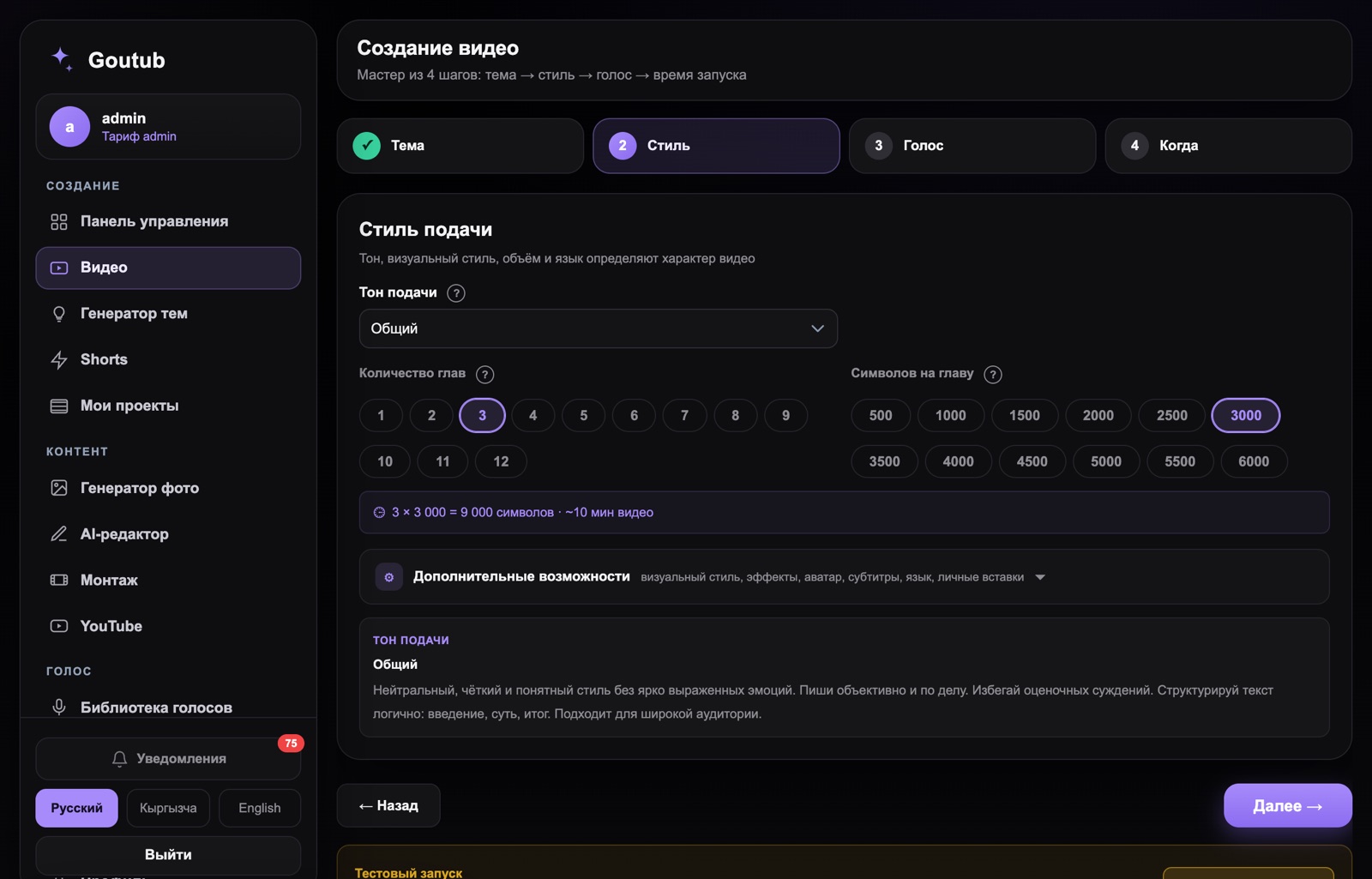
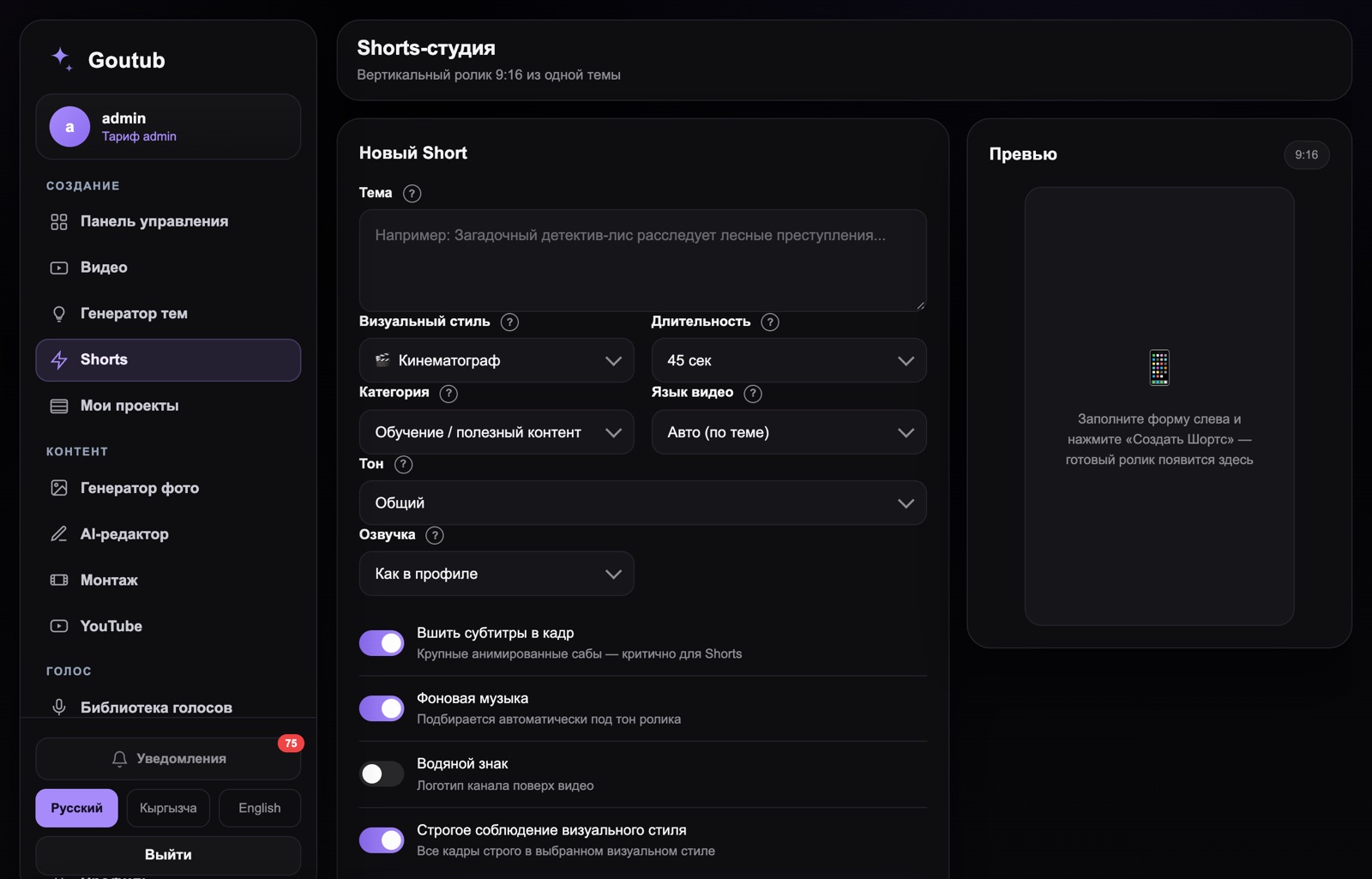
Try AI video in 8–15 minutes
Goutub automates the entire workflow from this guide. Enter a topic — get a finished MP4.
Sign up →Published April 19, 2026 · Author: Асанов Усен · ← All blog articles