How to find the best niche for YouTube: 7 steps with the AI producer — Goutub Guides
Goutub → Guides → How to find the best niche for YouTube: 7 steps with the AI producer
Guide

How to find the best niche for YouTube: 7 steps with the AI producer

A step-by-step guide to choosing a niche in a single evening: one with views and little competition. The Goutub AI producer picks a niche for you and builds a plan for your first 10 videos, while the Topic Generator checks demand.

7 min read Usen Asanov #ниши#идеи#ИИ-продюсер#гайд
Go to the steps →

What makes a good niche

A niche isn't "history" or "psychology" — it's a specific angle: "unsolved cases of the USSR," "how disasters happen," "money explained simply for Central Asia." A good niche meets three conditions: it has views, it has few strong recent channels, and you can publish 2 videos a week in it for at least three months.

Picking a niche used to take weeks: watching channels, counting views, sorting through topics. In Goutub, the AI producer does it for you: it asks you a few questions, suggests a niche, explains why, and immediately builds a plan for your first 10 videos. Below are 7 steps for using it.

Go to the steps

How to check a niche before you start

Four questions the producer will answer and you can double-check.

Is there demand

In YouTube search for the niche's key queries, there should be videos with hundreds of thousands of views, including recent ones from the last 3 months.

Is competition low

If the results show 2–3 giant channels and nobody else, there's room. If there are 20 identical channels, it's too late.

Are there enough topics

Write down 30 topics in 10 minutes. If you can't, the niche is too narrow and will run out in a month.

Can you do it without showing your face

Stories, breakdowns, facts, and money topics work great without a camera. Vlogs and on-camera reviews don't.

7 steps: from a blank page to a plan for 10 videos

1.Open the AI producer

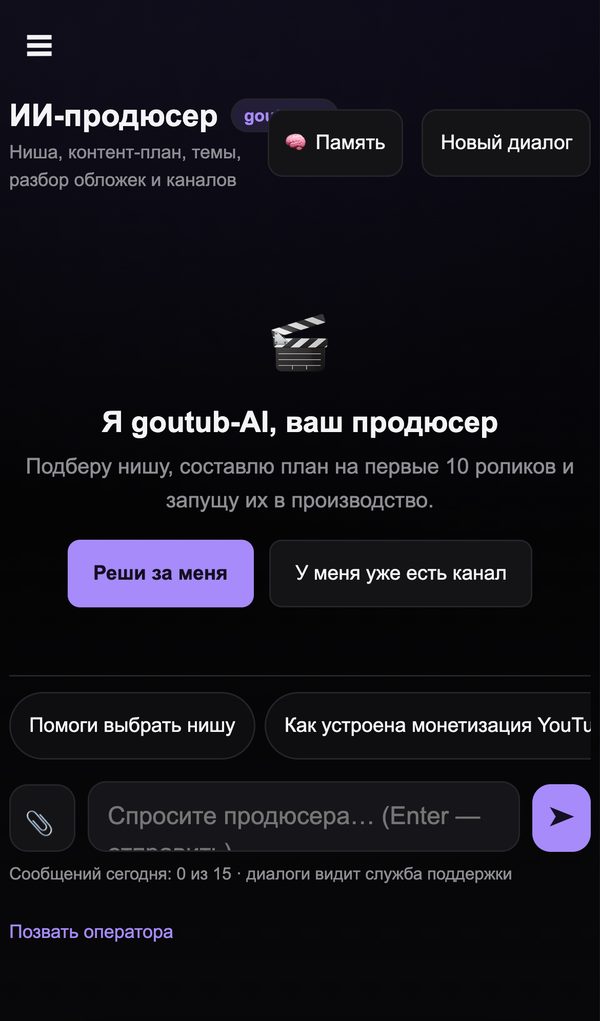
In the Goutub panel, find "AI Producer" in the left menu. It's a chat with a producer that knows your account: language, plan, and which videos have already been published. For a new account, it offers two paths: "Decide for me" and "I already have a channel."
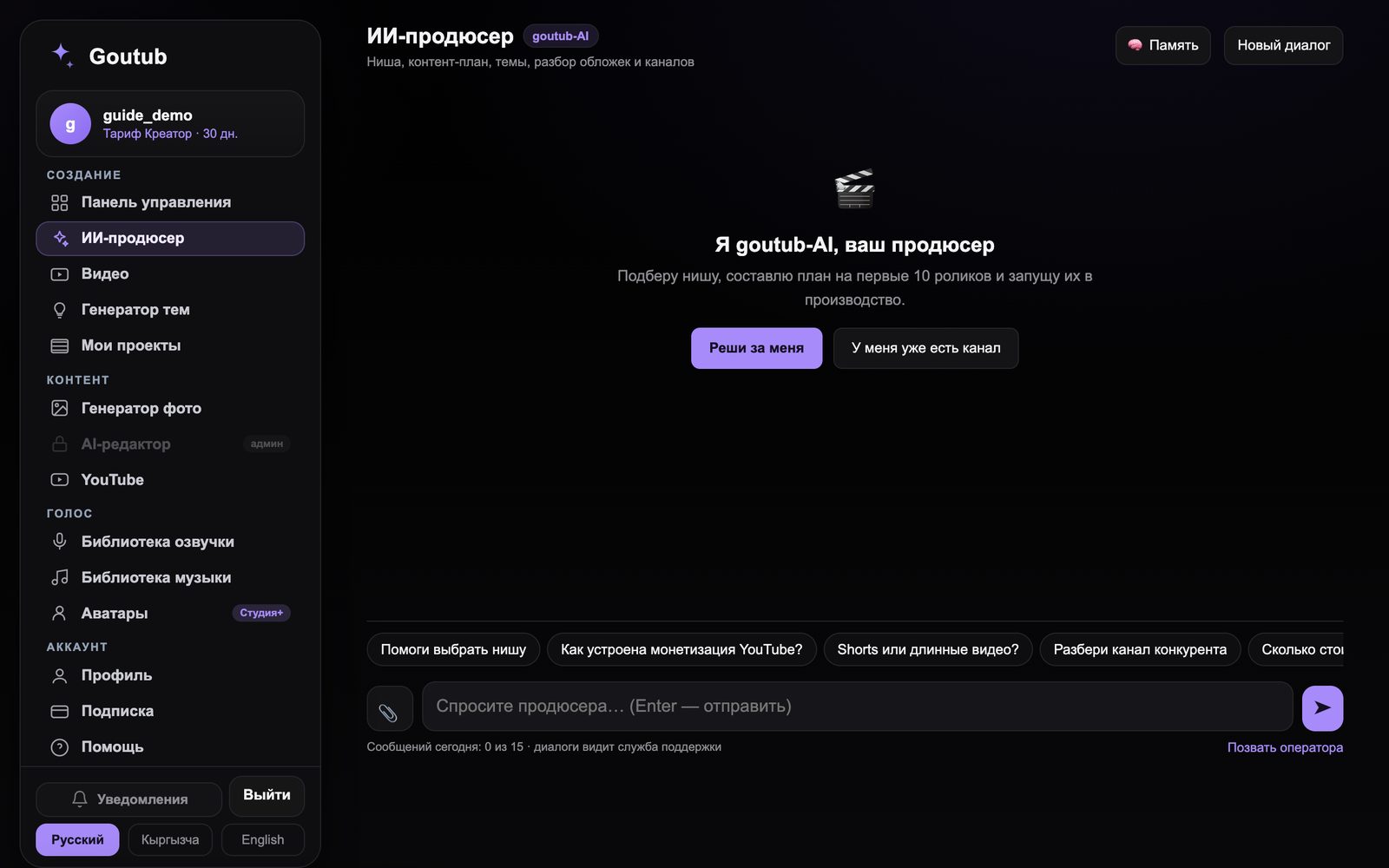
Step 1. Open the AI producer — Web versionWeb version
Step 1. Open the AI producer — PhonePhone

2.Click "Decide for me"

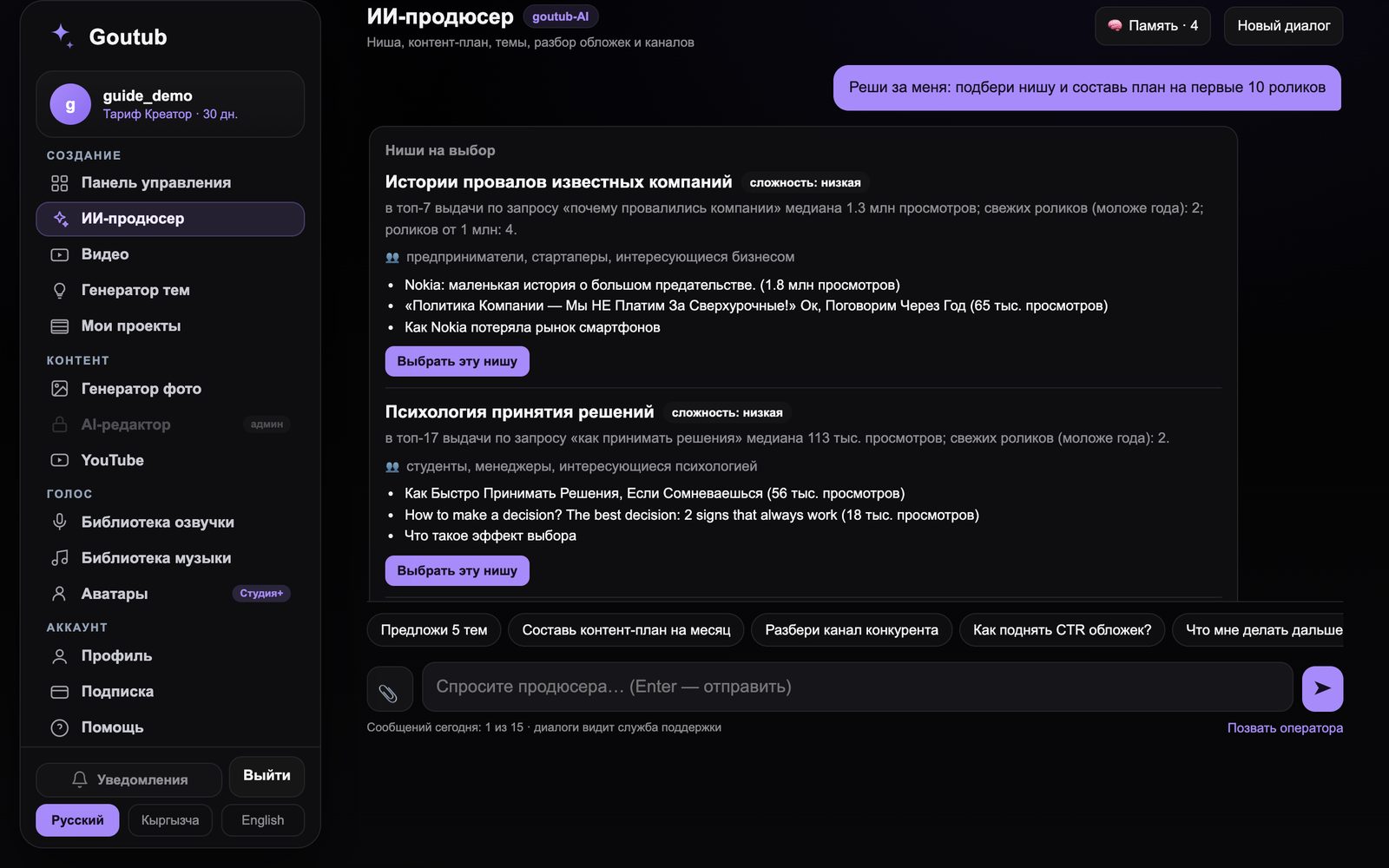
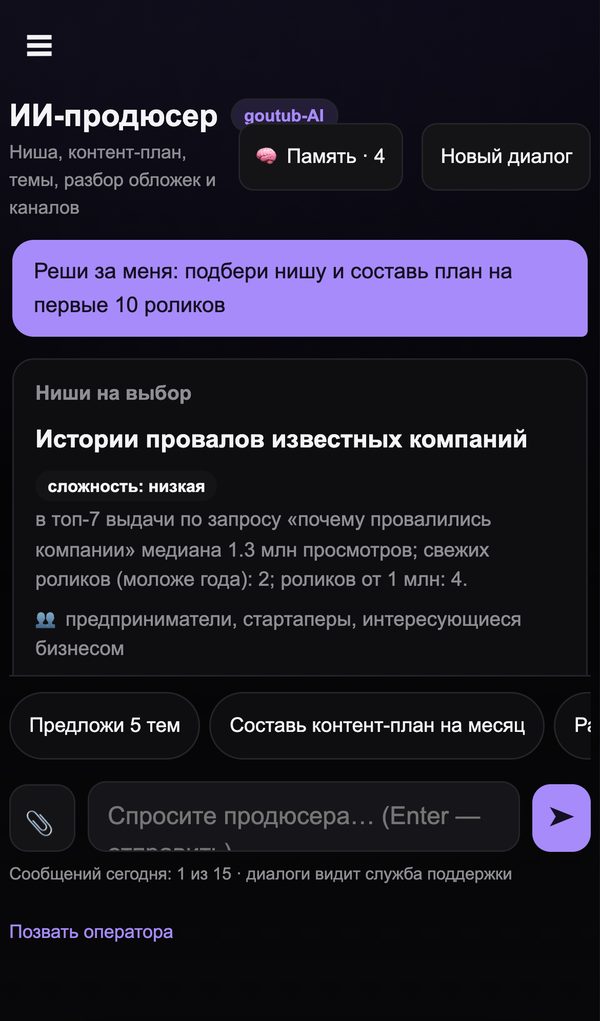
The producer checks demand on YouTube itself and, a minute later, shows "Niches to choose from" cards. Each one includes: difficulty, the median views in the top results for the key query, how many top videos are less than a year old, who the niche is for, and examples of videos that have already gained views. If you have preferences, write them before clicking: channel language, what interests you, how many videos a week you're ready to publish.

Step 2. Click "Decide for me" — Web versionWeb version
Step 2. Click "Decide for me" — PhonePhone

3.Choose a niche or ask for others

Under each card there's a "Choose this niche" button — the producer will remember your choice and build topics for it from then on. If you don't like any of them, just say so and it will suggest others. Ask follow-up questions in the same chat: "what about earnings in this niche?", "how many competitors are there?", "can I do it without showing my face?".

4.Get your plan for 10 videos

Once the niche is chosen, the producer builds a content plan: 10 topics with titles and short descriptions, in publishing order. The first three topics are the most "clickable" so the channel gets its first views quickly. You can edit the plan right in the chat: "replace topic 4," "make the topics shorter."

5.Check demand in the Topic Generator

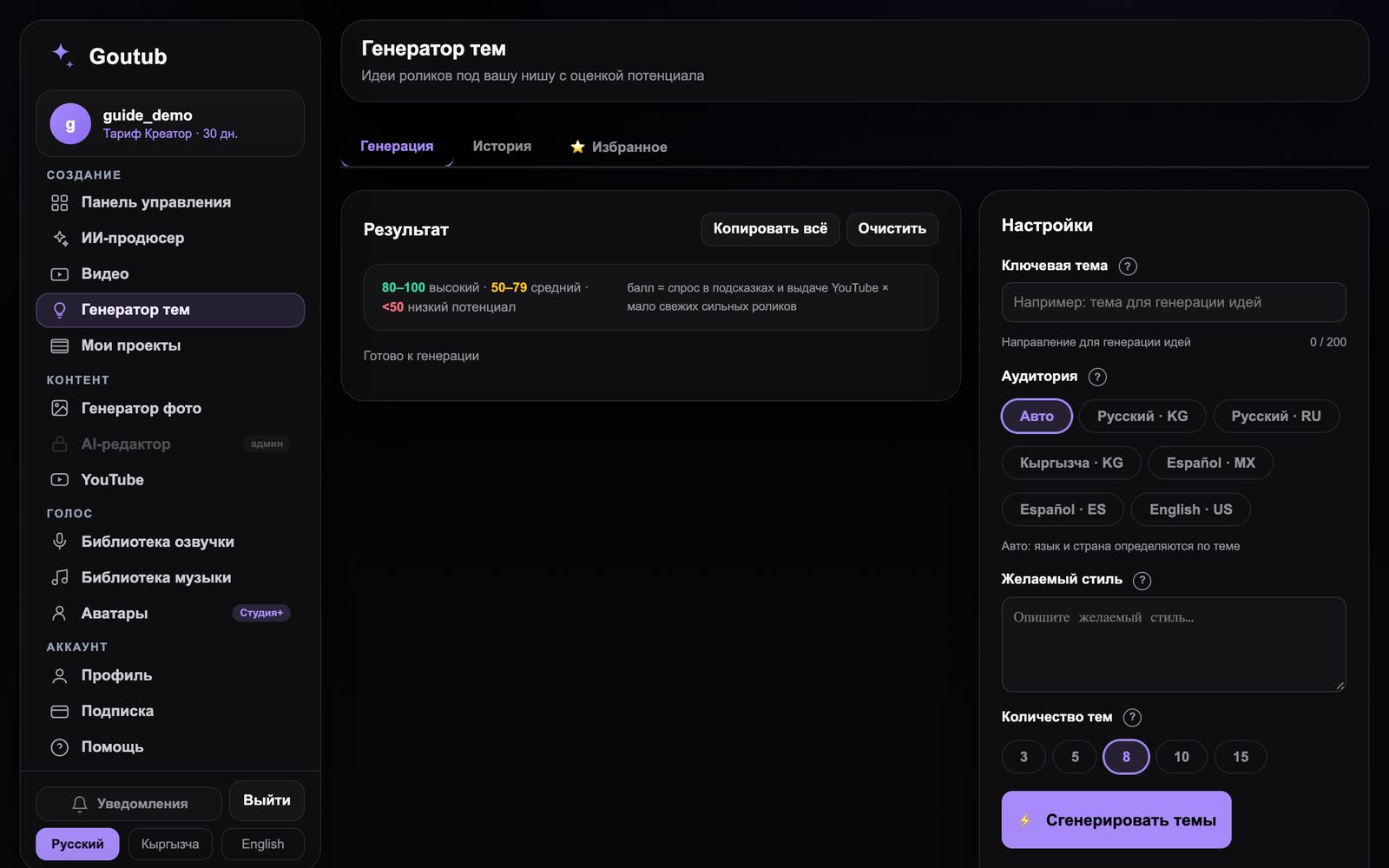
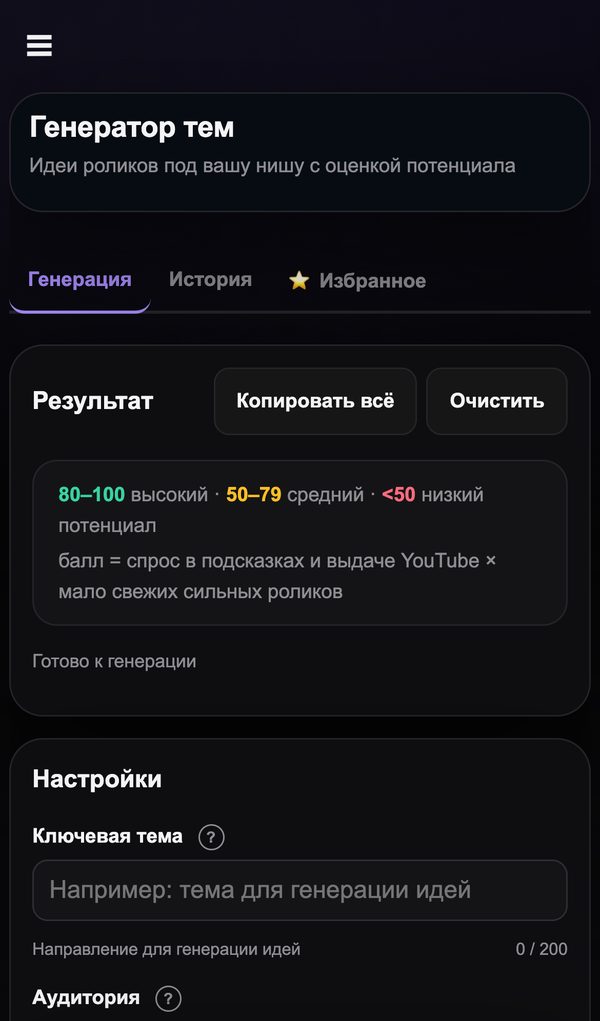
Left menu → "Topic Generator." Enter the niche's key topic, choose the audience (country and language), and click "Generate topics." Each topic gets a potential score: 80–100 means high demand and few strong recent videos, below 50 is better skipped. If most of the niche's topics score below 50, go back to step 3.

Step 5. Check demand in the Topic Generator — Web versionWeb version
Step 5. Check demand in the Topic Generator — PhonePhone

6.See your competitors through the producer's eyes

Copy the link to the strongest channel in the niche and send it to the producer: "Analyze a competitor's channel." It will show which topics work for them, how often they publish, and how your channel can stand out. That's 10 minutes instead of an evening in someone else's analytics.

7.Launch your first three topics

Right from the chat, the producer puts topics from the plan into production, or you can do it yourself: "Video" → topic → style → voice → time. Schedule the first three videos over one or two days in a row, and the rest at two per week. For step-by-step instructions, see the guide "How to launch your first video."

The producer picks your niche, Goutub builds your videos

Sign up, open the AI producer, and click "Decide for me." In 10 minutes you'll have a niche and a plan for 10 videos.

Sign up for Goutub
goutub — · Go to the home page